
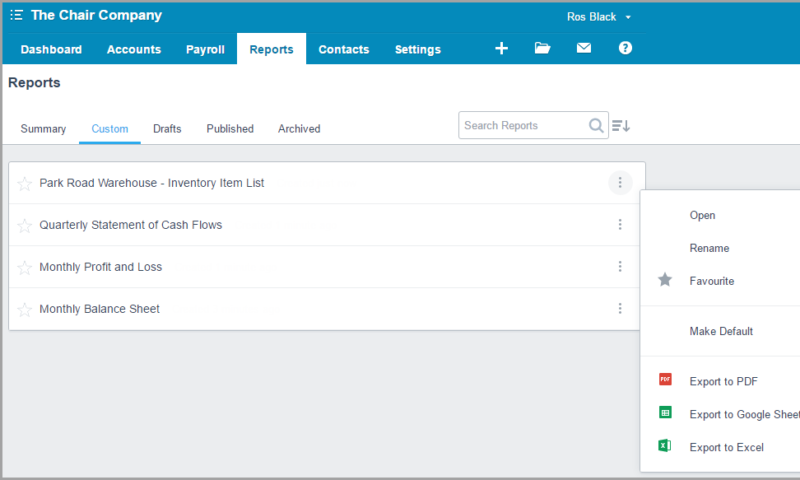
We have another big year planned in 2017 and we need to find a home for each new feature we have coming. We are continuing the cleanup of our navigation to make way for future releases, making everything even easier to find.
At the end of 2016 we started decluttering the Advisor Menu, and renewed our focus on the Report Centre. As promised, we are now close to moving your much loved Report Templates as well as Report Codes and Report Fields & Schedules. Anything that currently requires Advisor permission will continue to remain the same, meaning that Report Templates will only be visible to Xero Partners.
Keep an eye out over the next few weeks for an In App notification notifying you of the move.
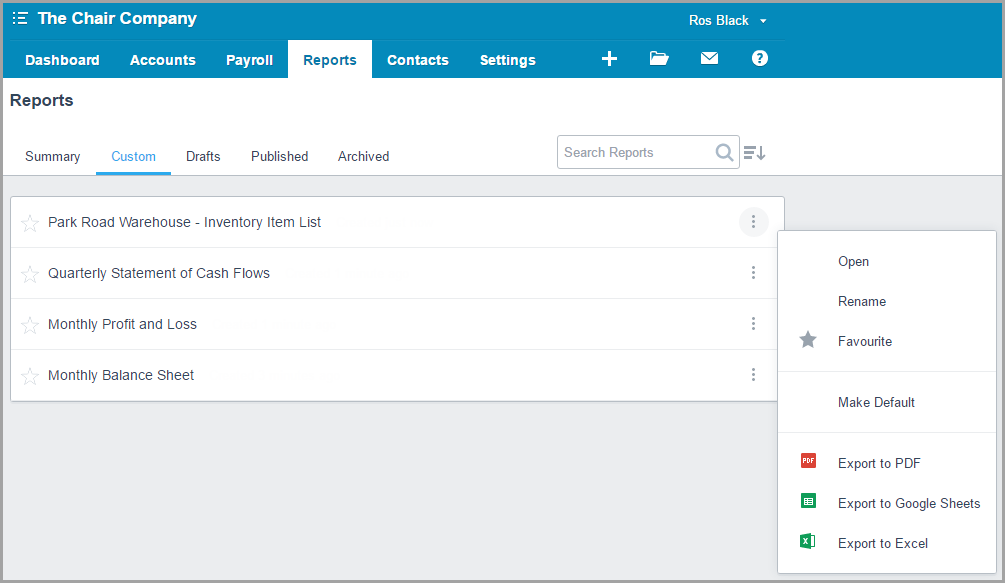
Along with this, we are creating a fresh new look in the Report Centre. This will allow you to sort your reports by Title, Date, Prepared By or Last Edited. You will also notice a couple of other subtle changes as we work to bring you a more beautiful experience.
What we’ve delivered with Xero Reports
It’s been a mammoth few years for Xero’s Reporting Team. It takes a lot of work to make something complex seem simple, and this team has delivered time after time. We truly believe Xero’s Reporting Functionality is second to none! Here is why.
Modify your reports to suit
Our layout editor allows you to modify the key financial reports. It was a huge step forward with powerful row & column level customization. This includes grouping accounts together, creating formulas and ordering items exactly how you want them to show with simple drag and drop functionality.
Designed the way you like
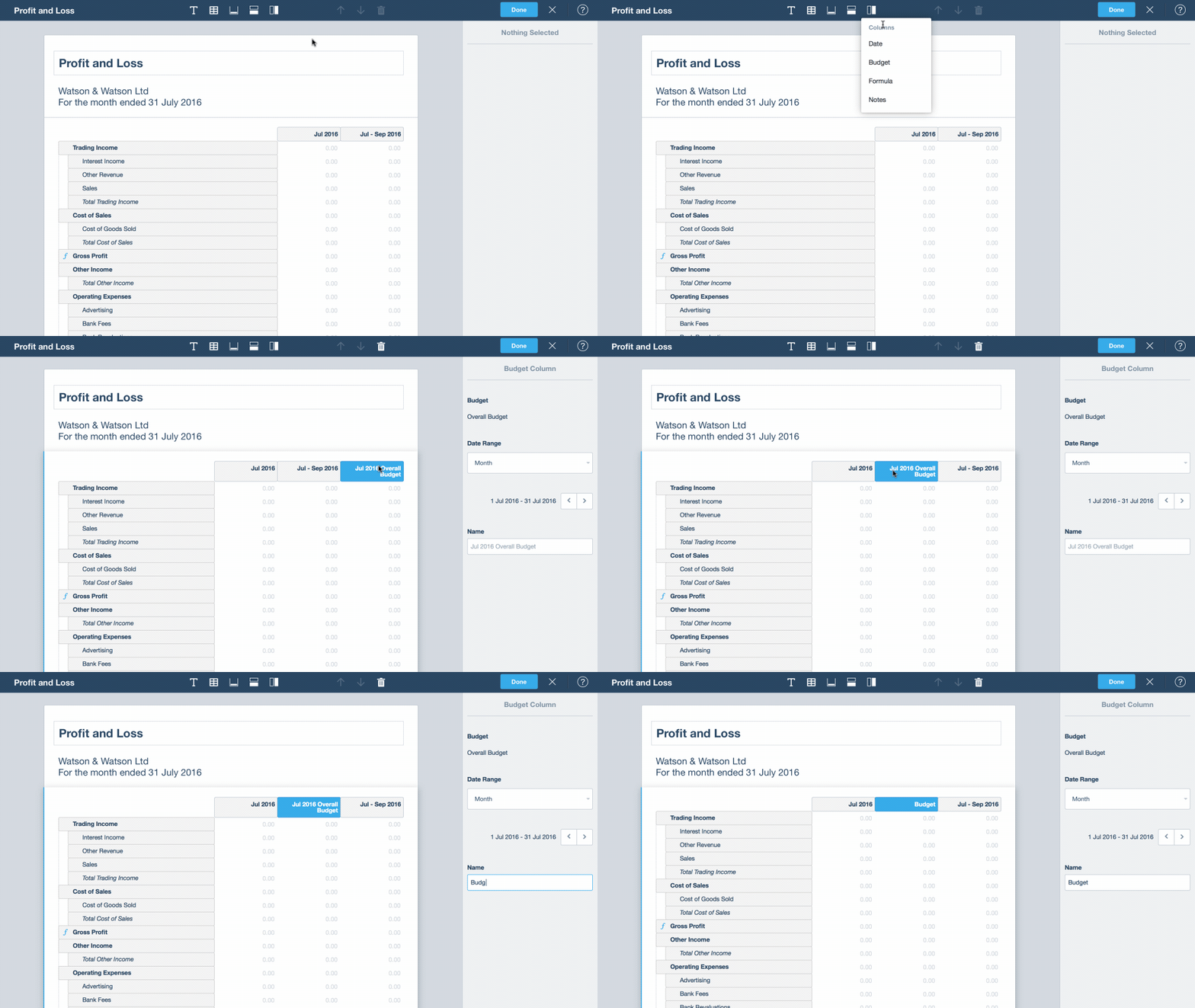
Columns can be ordered anyway you like with any title you want. Include a time frame to suit (week, month, part year etc) and add budgets. On top of all that, you can define your own variance calculations. Easy!
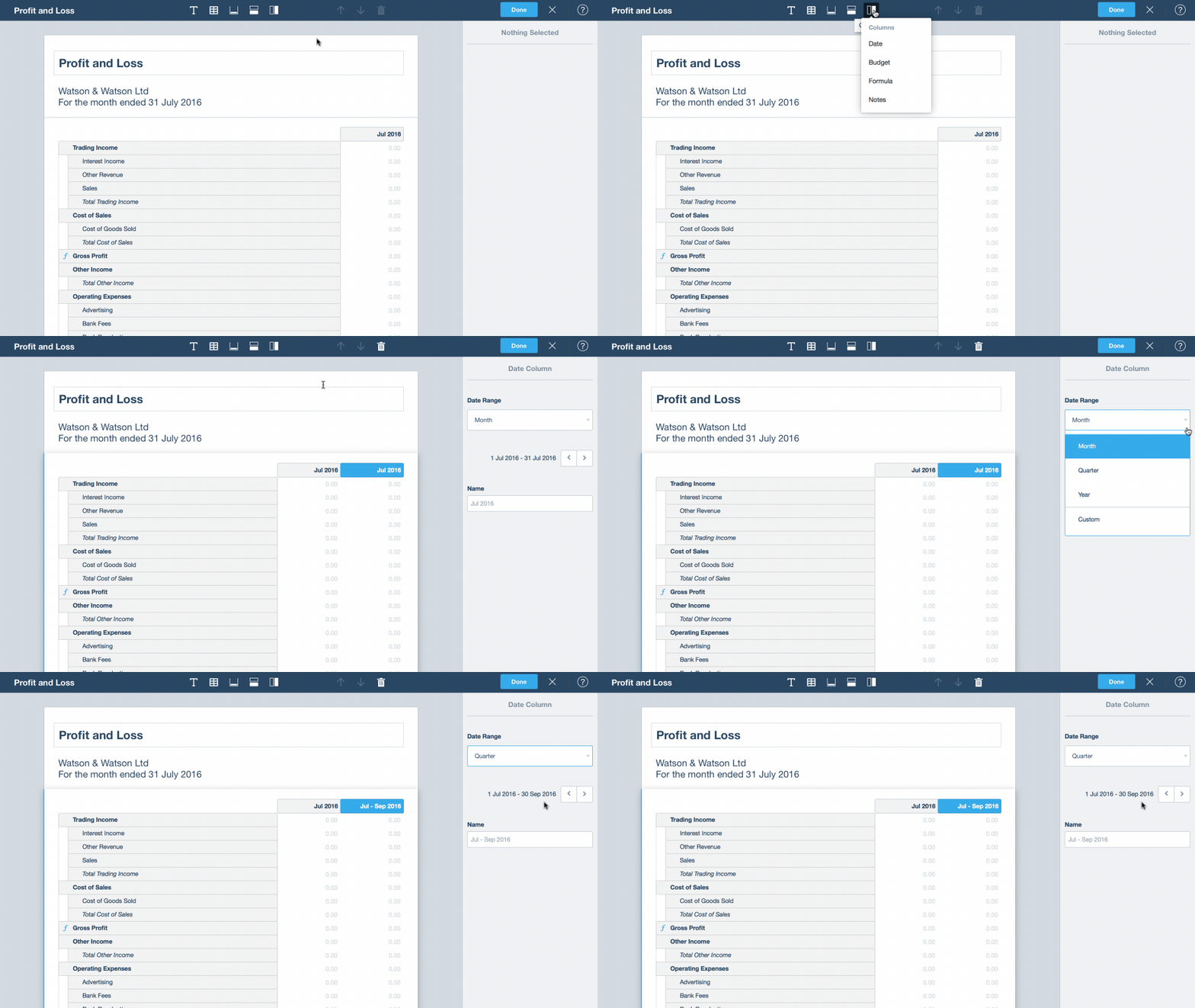
Budgets can be added to the Profit & Loss and also to reports that contain schedules like the Notes to the Financial Statements. You can customize where they show, the time frame, and the titles.
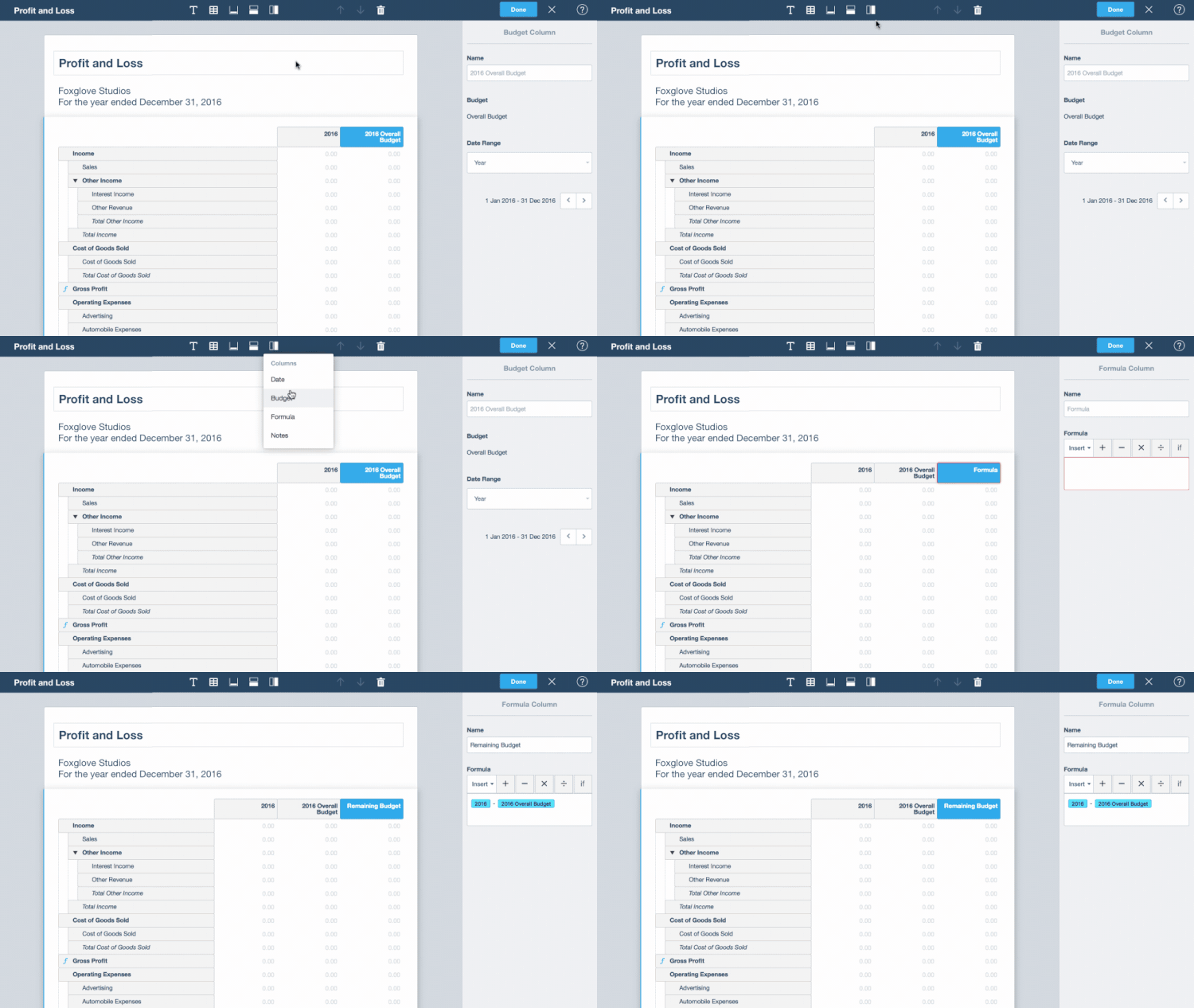
Compare, Track and Calculate
Formulas let you calculate variances between any columns on your report. Tracking Columns allows you to set one or more tracking values to show in a column on a report. Now you consolidate multiple values into one column, and show more than one tracking value on any given report.
Report Center
We’ve completely rebuilt the Report Center. It brings all of Xero’s reports, both old and new, into one place. We’ve added some great new functionality that we think you’ll love – especially the ways you can very easily tailor a report to suit your specific needs.
Reports are now grouped into new categories that make it easier to find what you’re looking for. Just click the three dots to expand a group and see more reports.
You can still use the star icon to favorite any report (new or old) so those reports always display at the top of that group and in the Reports menu.
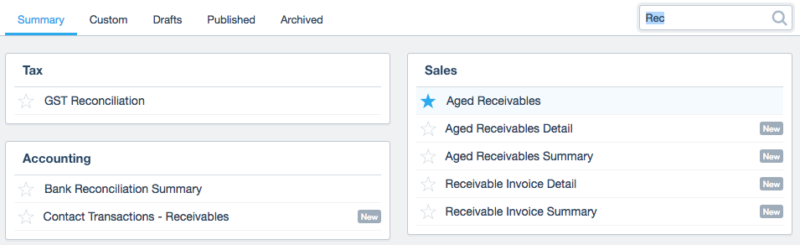
Better yet, we’ve introduced a new search function so that you can quickly find the report you need. This screenshot shows the results when you search for “Rec”.
Xero’s default report layouts are great — but sometimes you need to tailor them to your specific needs. Now after editing the layout and settings of any new report, you can save the layout to use again with one click. Simply click ‘Save as Custom’.
You can also save more than one custom layout per report, so now you can create as many reports as you need to manage your business.
What’s next for reporting?
The next piece of work which is underway now, to be released in the coming months is the ‘To Date’ convenience picker option. (Year to Date, Quarter to Date, Month to Date.) This will allow even easier reporting up to the current day, taking advantage of the always online nature of Xero.
If you’d like to learn more head to the help center for a comprehensive guide to the Layout Editor functionality.
The post Moving & shaking – Advisor Menu & Report Centre update appeared first on Xero Blog.
Source: Xero


You must be logged in to post a comment.